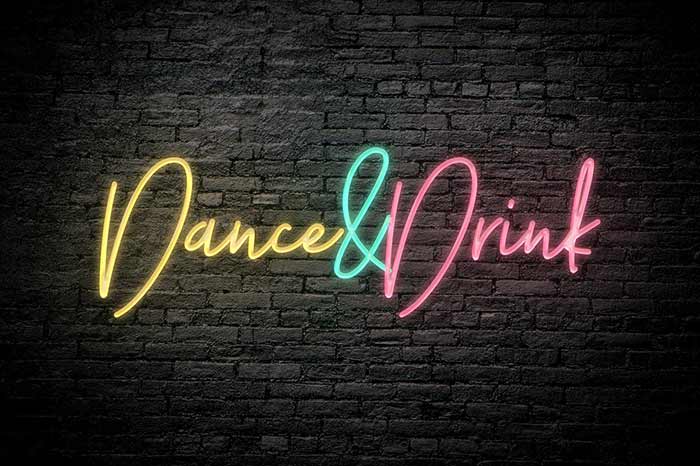
Turn any text into a vibrant neon sign in seconds. This editable Photoshop (PSD) text effect uses Smart Objects so all you need to do is type your text and pick a font — the neon styling is applied automatically.
Highlights
Eye-catching neon glow and color options
Fully editable PSD with Smart Object(s) for instant results
Works with any font — just type and apply
Fast — no long manual edits required
High-resolution output suitable for web and print
Comes with an Extended License and lifetime access
How it works
Open the PSD file in Photoshop.
Double-click the Smart Object layer.
Type your text and choose the font.
Save and close the Smart Object — the neon effect updates automatically.
Optionally tweak colors and layer styles inside the PSD.
What’s included
Editable PSD mockup with Smart Object(s)
Readme / basic usage instructions
License & usage
This deal includes an Extended License.
You may use the text effect in personal and commercial projects.
Restrictions:
End products must not be used or sold in a way that is directly competitive with the original item you purchased.
The PSD bundle cannot be sublicensed, resold, shared, transferred, or redistributed on its own.
You may not share the bundle files with others.
Download & access
Delivered as an instant download once your purchase is complete.
Lifetime access is included.
Give your text a neon makeover that grabs attention — download the Free Neon Photoshop Text Effect now!
User Reviews
0.0out of 5
★★★★★
0
★★★★★
0
★★★★★
0
★★★★★
0
★★★★★
0
Write a review
There are no reviews yet.
Be the first to review “Free Neon Text Effect for Photoshop” Cancel reply





There are no reviews yet.