
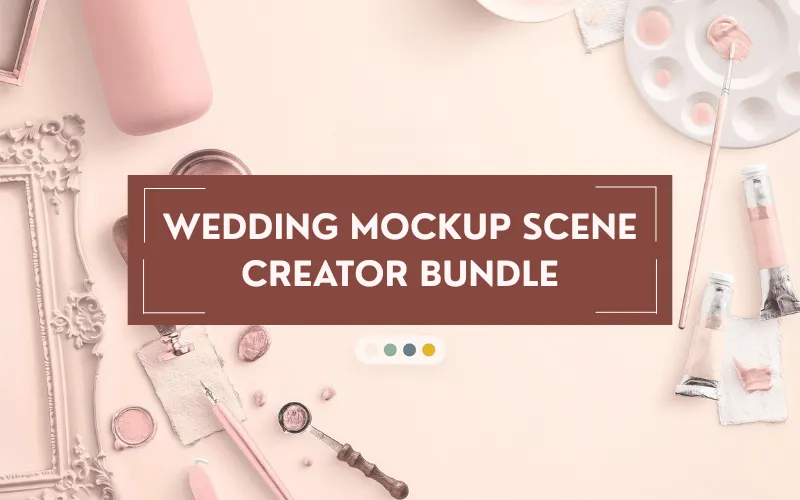
Wedding Mockup Scene Creator Bundle | Commercial License
Flat mockups and generic templates don’t do justice to premium wedding designs. Showcase your work in elegant, real-photo scenes with the Wedding Mockup Scene Creator Bundle — a photo-based mockup system built for wedding and stationery designers who need realistic, high-end visuals.
Its smart objects and organized layers let you drop in your artwork, adjust shadows, rearrange elements, and export presentation-ready visuals in minutes. Designed for professional use, the bundle is fully supported in Adobe Photoshop, works in Photopea, and offers basic compatibility with other PSD-capable applications.
포함된 것
- 1 main Wedding scene creator (PSD)
- Approximately 590+ isolated objects (591 included total) — layered PSB and PNG (rings, dishes, stationery, florals, ribbons, decor, etc.)
- 6 premade scenes (Layered PSB, JPG, PNG, and rasterized layered PSD)
- 18 premade layouts (Layered PSD)
- Simplified/optimized scene versions for faster editing
- Smart-object-based system for quick artwork replacement
- Separate objects and shadow layers with dynamic, adjustable shadows
- Instruction / Help PDF (includes direct download links)
- 상업용 사용권
주요 특징
- Photo-based, realistic mockup scenes for wedding stationery and related products
- Organized layers and smart objects for fast, non-destructive editing
- Rearrange individual objects, tweak shadows, and export presentation-ready files in minutes
- Includes both high-resolution and standard-resolution assets for flexibility and speed
명세서
- Isolated objects: 591 items (Layered PSB and PNG)
- Premade scenes: 6 (Layered PSB, JPG, PNG, rasterized layered PSD)
- Premade layouts: 18 (Layered PSD)
- Formats included: PSD / PSB, PNG, JPG
- Instruction PDF included (with download links)
- Main scene dimensions: approx. 6000 × 4000 px
- Standard-res dimensions: 2400 × 1600 px
- Resolution: 300 DPI (main scenes), standard-res at 72 DPI
- Color mode: RGB
- File size (approx.): 21.67 GB
적합성
- Adobe Photoshop CS6 / CC — full support (smart objects + organized layers)
- Photopea — supports PSD for browser-based editing
- Affinity Photo / Affinity Designer and other apps that can open layered PSDs — basic layer support (smart-object editing may be limited)
- Flattened JPG/PNG previews — usable in any popular design software or mobile/tablet apps
완벽한
Invitations, suites, menus, seating plans, full wedding stationery presentations, and other premium printed wedding goods.
System requirements
- Desktop or laptop capable of running Adobe Photoshop or compatible software
- Minimum 8 GB RAM recommended (16 GB+ for comfortable editing of high-resolution scenes)
- Stable broadband internet connection for downloading large ZIP files
작동 방식(빠른)
- Open the PSD scene in Photoshop (or compatible app).
- Replace the smart-object artwork with your designs.
- Rearrange objects, toggle or adjust shadow layers.
- Export flattened JPG/PNG for client previews or print-ready PSDs for production.
예보
Preview images and example scenes are included with the download (or shown on the product page). The bundle includes multiple premade scenes and layouts to help you visualize final presentations quickly.
소장
“Simply the best product available. Impeccable quality – this has revolutionized how I present wedding stationery.”
— André Viana“I am loving this scene creator and it’s very easy to use. This file is going to save me so much time and money.”
— eholcomb19777
Deal terms / FAQ
-
How do I download the bundle?
The bundle includes an Instruction/Help PDF with direct download links available after purchase. -
어떤 라이선스가 포함되어 있습니까?
This bundle is sold with a Commercial Use License. -
What are the terms of usage?
- 개인 및 상업 프로젝트에 이러한 자산을 사용할 수 있습니다.
- 최종 제품은 구매한 원래 품목과 직접 경쟁하는 방식으로 사용하거나 판매해서는 안 됩니다.
- The product cannot be sublicensed, resold, shared, transferred, or redistributed on its own.
- You may not share the original product files with others.
-
Is lifetime access available?
Yes — you get lifetime access to the downloaded resources on your device. -
모든 기기에서 이 제품에 액세스할 수 있습니까?
Full editing is recommended on desktop or laptop (Photoshop, Affinity, Photopea). Flattened JPG/PNG exports can be used on mobile and tablet apps for additional edits (text, overlays), but editing the original PSDs on mobile is not recommended. -
지원이 가능한가요?
Yes. For support, contact: hello@customscene.co
If you’d like, I can produce a short product blurb for a product page, a social media post, or help you create example captions for the premade scenes.


아직 리뷰가 없습니다.