
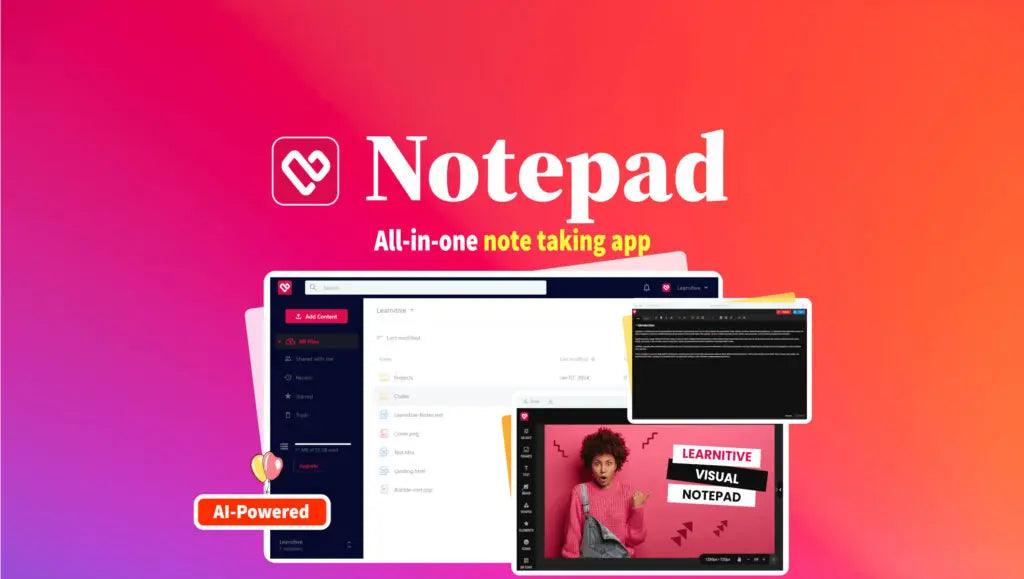
Notepad — All‑in‑One Notes, Code & Creative Workspace
Notepad brings your notes, code, images and PDFs into a single app so you can switch effortlessly between writing, coding, editing and publishing. Whether you’re taking Markdown notes, running quick code snippets, editing images or building a landing page, Notepad combines the tools you need — plus AI features — to boost productivity and creativity.
TL;DR
Notepad is a unified workspace for text, code, images and web content. Key components include:
- Markdown note editor (with AI assistance)
- Code IDE (run code in 50+ languages)
- Photo editor (crop, filters, brushes)
- Visual web builder and Codepen‑style HTML debuggerNotepad is part of the Learnitive AI platform, so AI writing and productivity tools are built in.
Notes — Markdown Editor
A powerful, markdown-first editor for taking structured notes, documenting projects and mixing code snippets with rich formatting.
Features:
- Visual Markdown editor with real‑time preview
- Syntax‑highlighted code blocks inside notes
- Tags, folders and highlight search for fast organization
- Import / export notes via drag & drop; export to Markdown or PDF
- Share notes and folders with others
- Start files with extensions like
.md,.txtor no extension - Powered by the open‑source TUI Editor
Codes — Notepad IDE
Write, save and execute code without launching a full desktop IDE.
Features:
- Run code in 50+ programming languages (compile & execute)
- Based on the Judge0 open‑source execution engine
- Ideal for quick experiments, learning, teaching and demos
- Create files with typical extensions like
.py,.cpp,.js,.sh
Photos — Photo Editor
Create and export attractive graphics directly inside Notepad.
Features:
- Crop, rotate and resize in a few clicks
- Image filters and ready‑to‑use frames
- Rich text tools to add and style captions
- Large library of SVGs, templates, elements and icons
- Freehand sketching with multiple brush options
- Export common image types such as
.pngand.jpg - Built on FabricJS
Web — Visual Web Builder
Design mobile‑responsive landing pages and single‑page sites visually.
Features:
- Drag‑and‑drop HTML email and landing‑page builder
- Produce exportable
.zippackages with all resources - Great for quick prototypes, campaigns, and microsites
- Create files with the
.htmlextension
HTML Debugger — Codepen‑Style Editor
Test and iterate HTML, CSS and JavaScript snippets in a live environment.
Features:
- Create “pens” to prototype and debug front‑end code
- Instant preview and sharing for design and development workflows
- Save and deploy small web projects
- Use
.htm/.htmlfiles for quick testing
Other features
- Project workspaces, collaboration and sharing
- Favorites, tagging and organization tools
- AI writing & productivity tools as part of the Learnitive AI platform
- Ongoing feature expansion and integrations planned
Compatibility & Installation
Notepad runs in modern browsers on macOS, Windows and mobile devices. Install it as a progressive web app (Use “Add to Home Screen”) for an app‑like experience.
Why choose Notepad? It’s a single, lightweight workspace that replaces multiple tools — note apps, quick IDEs, image editors and page builders — letting you focus on creating, learning and shipping work faster.


There are no reviews yet.